

Evolution of Attendance Tracking Paper to Digital
Attendance tracking has always been an important part of workforce management. Whether an organization employs ten people or manages hundreds of staff across several locations, it needs a reliable method of recording when employees arrive, leave, take time off, or work additional hours.
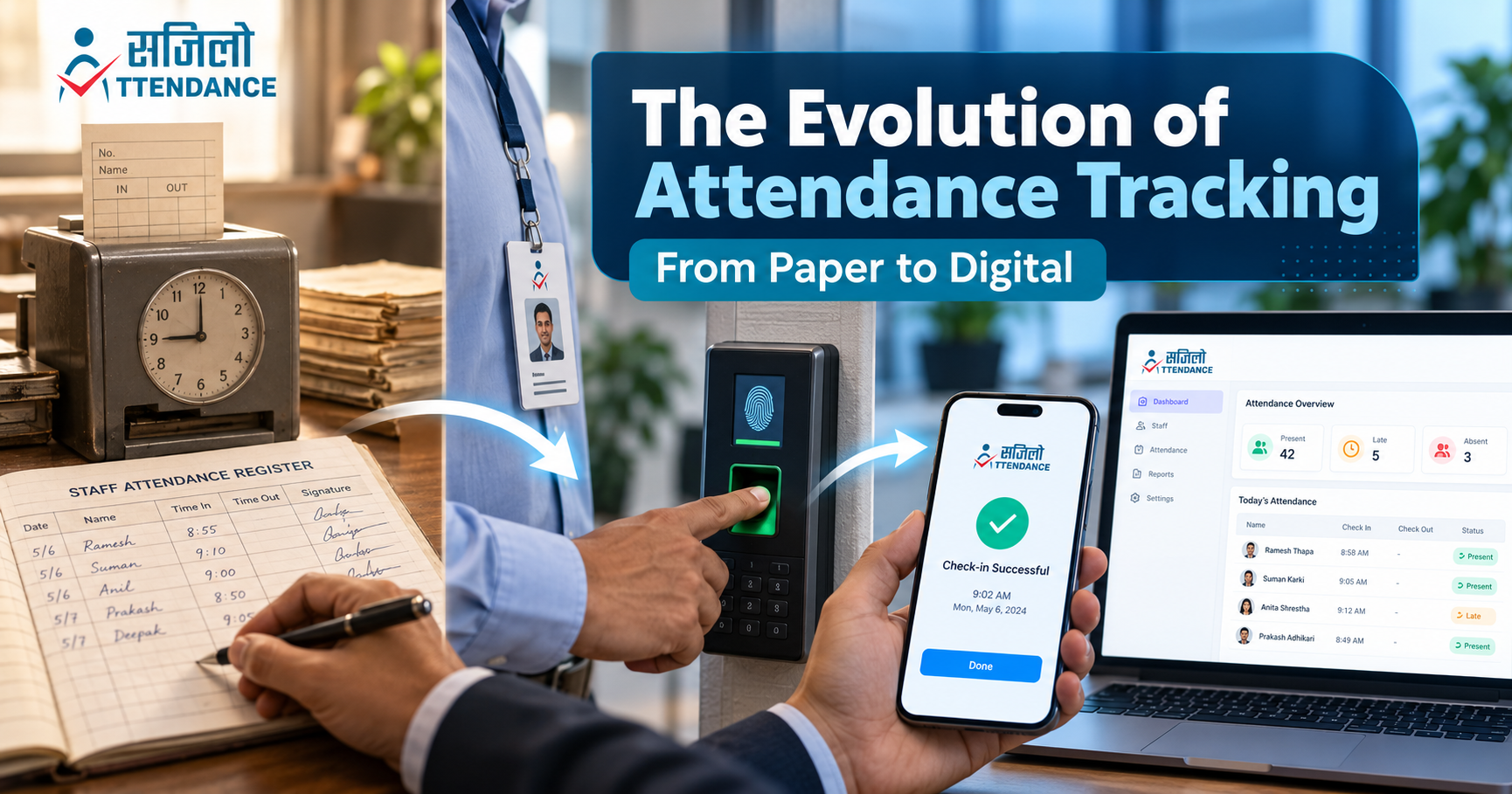
The evolution of attendance tracking reflects how workplaces themselves have changed. Attendance management began with handwritten registers, progressed through mechanical punch clocks and electronic cards, and eventually developed into cloud-based platforms with biometric and location-based verification.
For schools, businesses, and organizations, this change is not simply about replacing paper with software. A modern digital attendance system can connect staff attendance with leave requests, shifts, payroll preparation, branch management, and real-time reporting.
Understanding the evolution of attendance tracking helps organizations evaluate older processes and choose a system that suits their present needs.
Why Attendance Tracking Has Always Been Important
Organizations need attendance records to understand staff availability, maintain work schedules, and prepare accurate administrative reports. Attendance information may also support:
- Payroll preparation
- Leave management
- Shift planning
- Overtime review
- Staff scheduling
- Workforce planning
- Punctuality monitoring
- Branch management
- Internal audits
- Legal and policy compliance
The basic purpose of attendance tracking has remained consistent: recording when employees are available for work. What has changed is the method used to collect, store, verify, and analyze this information.
The International Labour Organization provides guidance on balanced working-time arrangements, highlighting the importance of clearly structured working schedules for employers and workers. www.ilo.org
The Beginning: Paper Attendance Registers
Paper attendance registers were among the simplest methods of recording employee presence. Staff members wrote their names, arrival times, departure times, and signatures in a shared book.
Some organizations assigned an administrator to record attendance, while others allowed employees to complete their own entries.
Why Paper Registers Became Popular
Paper registers were widely adopted because they were:
- Inexpensive
- Easy to understand
- Simple to introduce
- Independent of electricity
- Suitable for small teams
- Accessible without technical training
A register could be placed at the entrance, reception, or administrative office. It provided a visible daily record without requiring any special equipment.
Limitations of Paper Attendance
Although simple, handwritten registers created several challenges:
- Staff could enter inaccurate times.
- Handwriting could be difficult to understand.
- One person could sign for another.
- Entries could be changed without a clear history.
- Registers could be damaged or misplaced.
- Monthly calculations had to be completed manually.
- Historical records were difficult to search.
- Leave and shift information was usually maintained separately.
- Multiple branches required separate registers.
- Management had no real-time overview.
Paper attendance worked reasonably well when teams were small. As organizations expanded, the weaknesses of manual record-keeping became more noticeable.
The Arrival of Mechanical Time Clocks
The next major stage in the evolution of attendance tracking was the mechanical time clock. Instead of writing their arrival time, employees inserted or activated an individual record through a mechanical device.
Early time-recording technology appeared during the late nineteenth century. Willard L. Bundy’s 1888 time-recorder patent described equipment designed for recording when workers reported for duty. Google Patents
How Mechanical Attendance Worked
Each employee received a card, key, or identification number. When the employee arrived or left, the machine stamped the time onto a card or paper record.
This process introduced an important improvement: the recorded time came from the machine rather than being written manually.
Advantages of Mechanical Time Clocks
Mechanical systems offered:
- Consistent time stamping
- Less handwritten information
- Clearer arrival and departure records
- Faster daily check-in
- Individual employee records
- Reduced dependence on a register supervisor
Problems With Punch-Card Systems
Despite their advantages, mechanical systems still had several limitations:
- Employees could punch cards for colleagues.
- Cards could become damaged or lost.
- Administrators still calculated hours manually.
- Machines required physical maintenance.
- Records were available only at the machine’s location.
- Multiple branches needed separate devices.
- Attendance corrections remained complicated.
Mechanical time clocks improved recording accuracy, but they did not completely automate attendance management.
Electronic Card and Identification Systems
As electronic technology became more accessible, organizations began replacing mechanical clocks with digital card readers. Employees could use magnetic stripe cards, barcodes, smart cards, or RFID identification.
Instead of printing the time on a physical card, the device stored each attendance event electronically.
Benefits of Electronic Card Attendance
Electronic card systems improved attendance management by providing:
- Faster check-in and check-out
- Electronic time stamps
- Easier report preparation
- Reduced paper use
- Searchable records
- Integration with desktop software
- Individual employee identification
These systems reduced manual calculations and made it easier to organize larger volumes of attendance information.
Limitations of Card-Based Attendance
Electronic cards introduced a new set of problems:
- Cards could be forgotten or lost.
- Employees could lend cards to colleagues.
- Replacement cards created additional costs.
- Card readers required installation and maintenance.
- Data might remain stored on a local computer.
- Branches might operate separate databases.
- Remote employees could not use an office-based reader.
Card-based attendance represented a significant improvement, but organizations still needed better identity verification and wider access to information.
The Growth of Biometric Attendance
Biometric attendance systems identify employees using a physical characteristic rather than a card or handwritten signature. Common methods include fingerprint and facial authentication.
Biometric attendance became popular because it reduced the possibility of employees recording attendance for someone else.
How Biometric Attendance Works
An employee’s approved biometric information is enrolled in the system. During check-in, the device compares the presented fingerprint or facial information with the enrolled record.
If the authentication succeeds, the system records the attendance event with the time and employee identity.
The NIST Digital Identity Guidelines provide recognized principles for identity proofing and authentication. These principles can help organizations understand the importance of reliable identity verification in digital systems. csrc.nist.gov
Advantages of Biometric Attendance
Biometric attendance may provide:
- Stronger employee verification
- Reduced proxy attendance
- Faster check-in
- Fewer lost cards
- Accurate time stamps
- Better connection between identity and attendance
- Improved accountability
Privacy and Practical Concerns
Biometric information is sensitive personal data. Unlike a password, a person cannot simply change a fingerprint if biometric information is compromised.
Before using biometrics, an organization should consider:
- Whether biometric collection is necessary
- Which data is stored
- Where the information is stored
- How it is encrypted
- Who can access it
- How long it is retained
- How employees can request deletion
- Whether an alternative attendance method exists
- What happens when authentication fails
The UK Information Commissioner’s Office provides detailed guidance about using biometric data for employee time and access control. Organisations must ultimately comply with the laws that apply in their own location. ico.org.uk
Desktop-Based Attendance Software
The next stage in the evolution of attendance tracking connected attendance devices with computer software. Instead of reviewing records directly on a machine, administrators could download attendance data to a desktop computer.
The software could then calculate:
- Working hours
- Days present
- Days absent
- Late arrivals
- Early departures
- Overtime
- Shift attendance
Improvements Introduced by Desktop Software
Desktop attendance software reduced repetitive calculations and improved report preparation. HR and accounts teams could generate structured reports instead of counting punch cards or register entries.
Limitations of Local Software
Traditional desktop software was usually installed on one office computer or local network. This created several limitations:
- Reports were available only from specific computers.
- Data sharing between branches was difficult.
- Remote access was limited.
- Backups depended on local procedures.
- Device integration could require technical support.
- A damaged computer could affect access to records.
- Updates had to be installed manually.
The system was digital, but it was not yet fully flexible or centrally accessible.
Cloud-Based Attendance Tracking
Cloud technology changed how attendance records could be stored and accessed. Instead of keeping everything on a single office computer, authorized users could access attendance information through an online platform.
Cloud-based attendance tracking supports organizations with distributed teams, several branches, and employees working from different approved locations.
Benefits of Cloud-Based Attendance
A cloud attendance platform can provide:
- Centralised attendance records
- Real-time information
- Multi-branch access
- Automatic software updates
- Remote administrative access
- Easier backups
- Scalable employee management
- Faster report generation
- Integration with other business systems
Digital systems have also become an important part of modern education management. UNESCO explains that Education Management Information Systems have expanded beyond traditional census information to incorporate data from areas such as human resources and financial management. www.unesco.org
Cloud-based systems allow authorised administrators to review attendance without physically collecting registers or downloading records from every branch.
Mobile Attendance Applications
The widespread use of smartphones introduced another important stage in the evolution of attendance tracking. Employees could now register attendance using an application on a device they already carried.
Mobile attendance is particularly useful for:
- Schools with multiple campuses
- Field employees
- Sales teams
- Remote workers
- Construction teams
- Service businesses
- Organisations without biometric hardware
- Employees working at temporary locations
How Mobile Attendance Works
An employee logs in through an assigned account and records attendance using an approved method. The application may combine:
- User credentials
- Device-based biometric login
- Date and time
- Approved location
- Geofencing
- Attendance status
- Shift assignment
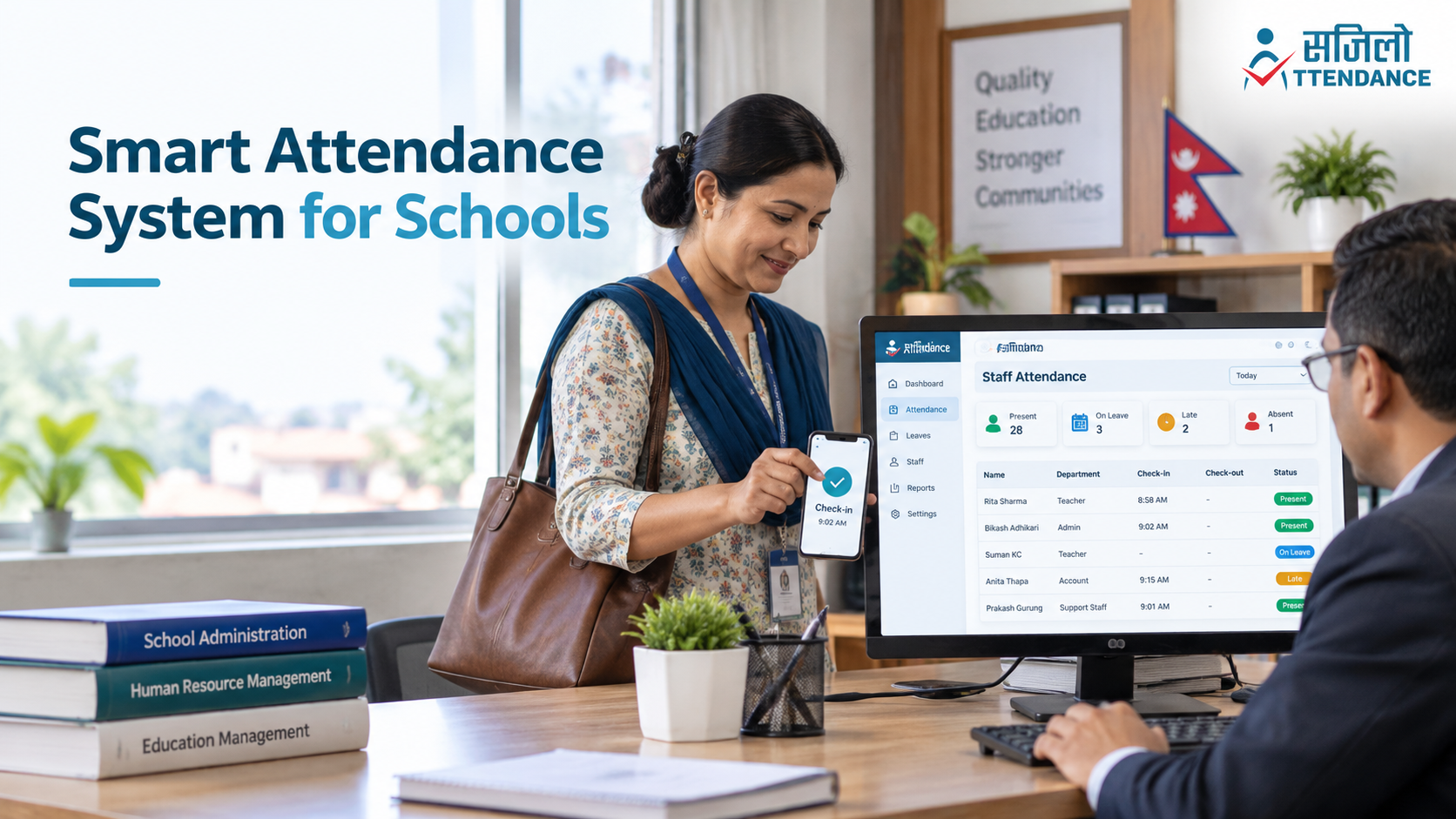
Sajilo Attendance supports device-based biometric login, location-based check-ins and real-time attendance reports. Staff can also submit leave or attendance correction requests through the application.
Advantages of Mobile Attendance
Mobile attendance can reduce the need for dedicated hardware and make implementation easier. Its benefits include:
- Quick staff check-in
- Access from approved work locations
- Lower hardware dependence
- Real-time record submission
- Easy attendance requests
- Simple leave applications
- Support for multiple branches
- Convenient access for administrators
A mobile platform should not continuously monitor employees unnecessarily. Organisations should explain when location information is collected and use it only for a clearly defined attendance purpose.
Location-Based and Geofenced Attendance
Location-based attendance allows an organisation to limit check-ins to approved places. A geofence creates a virtual boundary around an office, school, branch or project location.
When an employee attempts to mark attendance, the system checks whether the device is within the approved area.
Why Organisations Use Geofencing
Geofenced attendance can help:
- Confirm that staff are at an approved location
- Manage multiple branches
- Support field-based teams
- Reduce remote false check-ins
- Avoid installing attendance hardware
- Create location-specific reports
Sajilo Attendance allows organisations to configure approved attendance locations. Employees cannot normally mark attendance from an unauthorised location.
Location errors can still occur because of device settings, weak GPS signals or network problems. A fair system should allow employees to submit an attendance correction request when a valid check-in fails.
Integration With Leave, Shift and Payroll Management
Attendance tracking was once a separate administrative task. Modern platforms now connect attendance with broader workforce-management processes.
A digital system may combine:
- Employee records
- Daily attendance
- Leave applications
- Leave approval
- Shift schedules
- Attendance corrections
- Payroll preparation
- Branch management
- Notifications
- Reports
This integration reduces the need to maintain the same employee information in multiple registers and spreadsheets.
Leave Management
Employees can submit leave requests through the platform. Administrators can approve or reject them and maintain a clear record of the decision.
Shift Management
Organisations can assign different schedules to departments or employees. Attendance can then be compared with the assigned shift.
Payroll Support
Attendance reports can provide organised information about working days, approved leave, absences and overtime. The information should still be verified by an authorised administrator before payroll is finalised.
Organisations in Nepal should review the applicable provisions of the official Labour Act, 2074 and seek professional advice when configuring work schedules, leave or payroll policies.
Real-Time Reports and Workforce Insights
Modern attendance software does more than record when employees enter or leave. It converts attendance data into reports that management can review.
Depending on the system, reports may show:
- Employees currently present
- Employees on leave
- Late arrivals
- Early departures
- Missed check-ins
- Individual attendance histories
- Department-level attendance
- Branch-wise attendance
- Shift reports
- Monthly working-hour summaries
These reports help management identify patterns and respond more quickly. For example, repeated late arrivals in one branch may indicate transportation or scheduling problems rather than individual misconduct.
The goal should be to understand workforce operations and make fair decisions—not to create excessive employee surveillance.
Attendance Tracking: Then and Now
| Attendance Stage | Recording Method | Main Benefit | Main Limitation |
|---|---|---|---|
| Paper register | Handwritten name and time | Simple and inexpensive | Manual errors and difficult reporting |
| Mechanical clock | Time stamped on a card | Consistent time recording | Cards and calculations remain manual |
| Electronic card | Magnetic, barcode or RFID card | Faster electronic recording | Cards can be shared or lost |
| Biometric device | Fingerprint or facial verification | Stronger employee identification | Privacy and hardware concerns |
| Desktop software | Device data stored locally | Automated calculations | Limited access and local dependence |
| Cloud platform | Central online database | Real-time and multi-branch access | Requires security and connectivity |
| Mobile attendance | Application-based check-in | Flexible and convenient | Requires clear device and location policies |
| Integrated HR system | Attendance, leave, shift and payroll tools | Central workforce management | Requires careful setup and training |
How Digital Attendance Improves School Staff Management
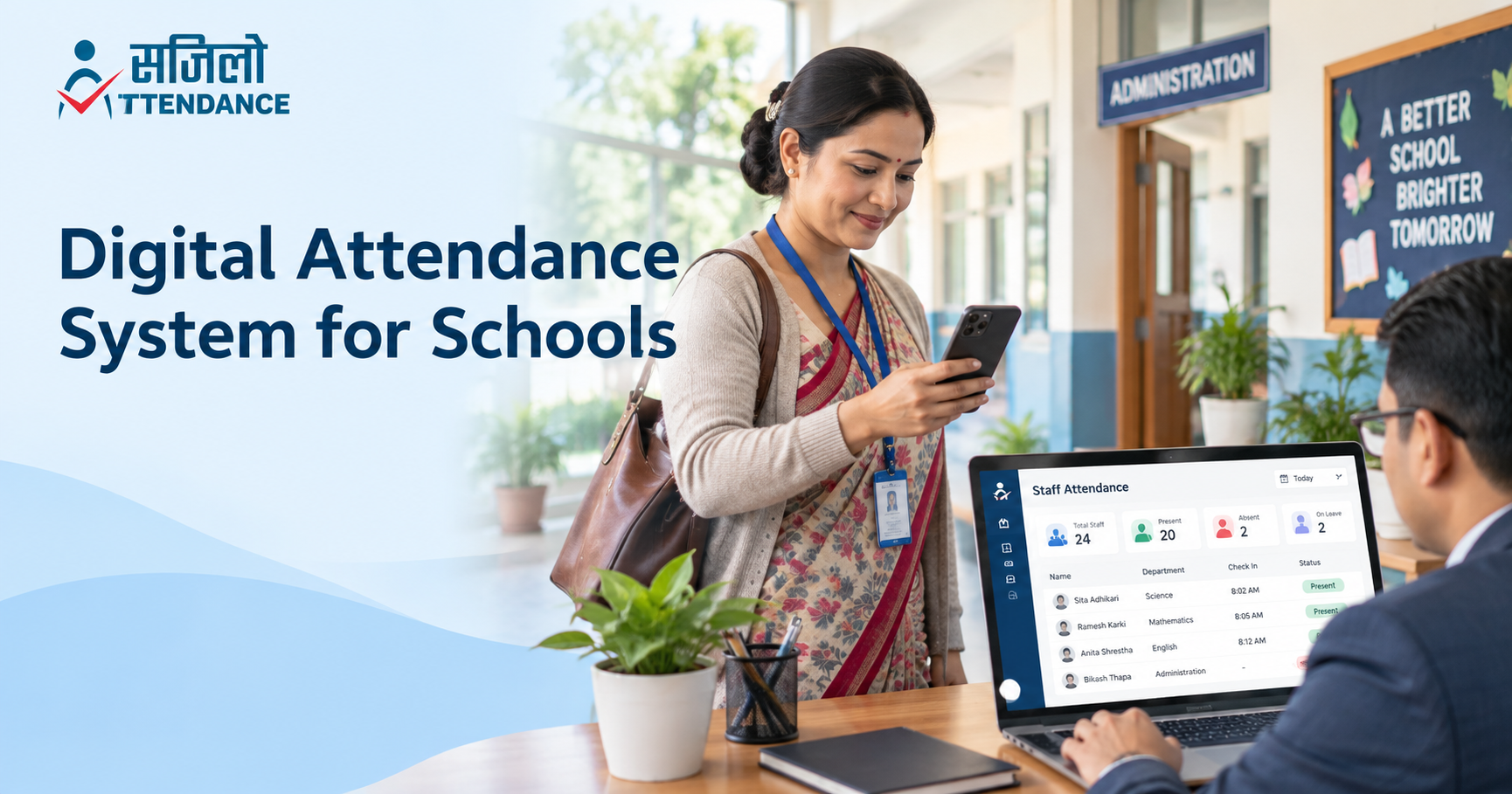
A school employs more than teachers. Its workforce may include administrators, receptionists, accountants, librarians, drivers, security personnel, cleaners and hostel staff.
These employees may follow different schedules. A digital attendance system helps management organise these differences without keeping multiple registers.
Schools can use staff attendance software to:
- Track teacher and employee attendance
- Manage different work shifts
- Review late arrivals
- Arrange substitute staff
- Process leave requests
- Manage transportation staff
- Monitor different campuses
- Prepare monthly reports
- Support payroll calculations
- Maintain central employee records
The system should track employees only. It should not be described as a student-attendance solution unless the software contains a separate, verified module designed for that purpose.
Security in Modern Attendance Systems
As attendance moved from paper to digital platforms, data protection became increasingly important. A modern system may store names, contact information, work locations, attendance history, leave records and biometric authentication information.
Role-Based Access
Employees should see their own records, while department heads, HR staff and senior administrators receive permissions according to their responsibilities.
The OWASP authorisation guidance recommends restricting users to the minimum access necessary for their roles. OWASP Cheat Sheet Series
Audit Logs
The system should record important administrative actions, such as attendance corrections, leave approvals and permission changes.
The OWASP logging guidance explains how structured application logs support security monitoring and accountability. OWASP Cheat Sheet Series
Account Protection
Administrator accounts should use strong authentication. The US Cybersecurity and Infrastructure Security Agency recommends multifactor authentication as an additional layer of account protection. CISA
Information-Security Management
Organisations should ask providers about encryption, backups, access control, incident response and data retention. ISO/IEC 27001 provides an internationally recognised framework for managing information-security risks. Information security management systems
Paper Attendance Versus Digital Attendance
| Area | Paper Attendance | Digital Attendance |
|---|---|---|
| Check-in process | Written manually | Mobile, biometric or device-based |
| Time accuracy | Depends on employee entry | Automatically time-stamped |
| Record storage | Physical registers | Central digital database |
| Report preparation | Manual calculations | Automated reports |
| Multi-branch use | Separate registers | Central management |
| Leave management | Paper forms or messages | Digital requests and approvals |
| Shift management | Separate schedules | Connected with attendance |
| Payroll support | Manual comparison | Organised attendance data |
| Historical search | Time-consuming | Searchable records |
| Real-time access | Not available | Available to authorised users |
| Corrections | May lack approval history | Can follow a documented workflow |
| Security | Risk of loss or damage | Depends on technical safeguards |
How to Move From Paper to Digital Attendance
Changing attendance systems requires planning. An organisation should not simply remove its register and expect employees to understand the new process immediately.
Review the Current System
Identify the main problems with the existing attendance method. These may include missing entries, payroll delays, proxy attendance or complicated branch reporting.
Define Requirements
Determine:
- Number of employees
- Number of branches
- Attendance locations
- Work shifts
- Leave categories
- Required reports
- Administrative users
- Payroll requirements
Select an Appropriate Attendance Method
Choose between mobile attendance, biometric verification, location-based check-in or a combination of methods.
Create a Staff Attendance Policy
Explain how employees must check in, request leave, report missed attendance and correct inaccurate records.
Test the System
Begin with one department or branch. A pilot period helps identify technical and operational problems before full implementation.
Train Employees
Training should cover check-in, check-out, leave requests, attendance corrections and account security.
Monitor and Improve
Review the results after implementation and adjust the system according to genuine staff and management feedback.
Schools and organisations interested in replacing manual registers can contact Sajilo Attendance for a product demonstration.
What Comes After Mobile Attendance?
The evolution of attendance tracking will continue as systems become more connected and automated. Future improvements may include:
- Better payroll integration
- Improved workforce analytics
- Passwordless authentication
- More flexible shift automation
- Stronger privacy controls
- Automated absence alerts
- Improved API integrations
- Smarter anomaly detection
However, more automation does not always mean better management. Attendance systems should remain understandable, fair and easy to correct.
Human review will remain important, particularly when attendance records affect leave, salary, performance discussions or disciplinary decisions.
Why Choose Sajilo Attendance?
Sajilo Attendance brings several stages of modern attendance management into one platform. Its available features include:
- Secure biometric login
- Location-based attendance
- Real-time staff tracking
- Attendance correction requests
- Leave management
- Shift management
- HR database management
- Daily and monthly reports
- Multi-branch support
- Email and push notifications on selected plans
- Payroll management on selected plans
- API access on the Pro plan
The application is designed for staff attendance and workforce management. Organisations can compare Sajilo Attendance pricing plans according to their workforce size, branch requirements and administrative needs.
For related information, read about the benefits of a digital attendance system for schools.
Conclusion
The evolution of attendance tracking has moved from handwritten registers to mechanical clocks, electronic cards, biometric devices, desktop software, cloud platforms and mobile applications.
Every stage improved a particular part of attendance management. Mechanical clocks introduced consistent time stamping, electronic cards improved data storage, biometrics strengthened identity verification and cloud-based systems made attendance information accessible in real time.
Modern attendance software now connects staff attendance with leave, shifts, reports, payroll preparation and multi-branch management. This makes it more than a replacement for a paper register it becomes part of an organisation’s workforce-management process.
Sajilo Attendance provides a practical way for schools, companies and other organisations to move from manual attendance to a secure and organised digital system. Book a demonstration to explore how the platform can support your staff and workplace.
.png)